Steam wallet top-up — SBP, cards, crypto
Top-up preview
Payment methodDemo
All totals and payment options are illustrative. No money is charged.
Frequently asked questions
- 1Enter the desired amount in rubles
- 2Check your Steam region and login
- 3Choose a payment method
- 4Confirm your account details
Currency conversion may be needed for a Steam top-up. The amount credited depends on the exchange rate at the time of processing. Walvo payment is currently a demo.
Where can I find my Steam login?
Use the account name you sign in to Steam with. Your public nickname and profile link may be different.
Can I top up a new Steam account?
This form is currently a demo: it does not check or fund accounts. Rules for new accounts will be published before payments launch.
How do I check my Steam account region?
Check your Steam store country in your account settings and choose the corresponding region in the form.
What if I entered the wrong login?
While payments are unavailable, simply correct the login in the form. You will be asked to verify it before any future order.
What are the Steam top-up rules?
Current limits, timing, and crediting rules will appear here before payments launch. No payment or crediting is available yet.
I was charged but nothing arrived. Why?
Walvo does not currently take payments through this form. If you see a charge, check the recipient in your bank statement and contact your bank.
Which regions are supported?
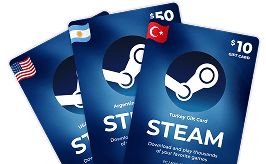
The preview lists Russia, Ukraine, Kazakhstan, CIS, Argentina, and Turkey. Actual availability will be confirmed when payments launch.
Why did I receive less than I paid?
Currency conversion can change the credited amount. The current calculation is only an example; no payment is processed.
What amount can I add, and can I pay again?
The demo accepts amounts from 100 ₽ and offers preset values. Real limits and repeat payments will be defined when a payment provider is connected.
What if payment does not go through?
The button currently only previews the total and validates the fields. Payment will become available after integration with a provider.
Can I top up accounts in unsupported regions?
This cannot be checked yet. The supported region list will be confirmed before payments launch.